Control every projector.
From one grid.
Professional multi-projector control with real-time monitoring — built for live shows, touring productions, and permanent installations.
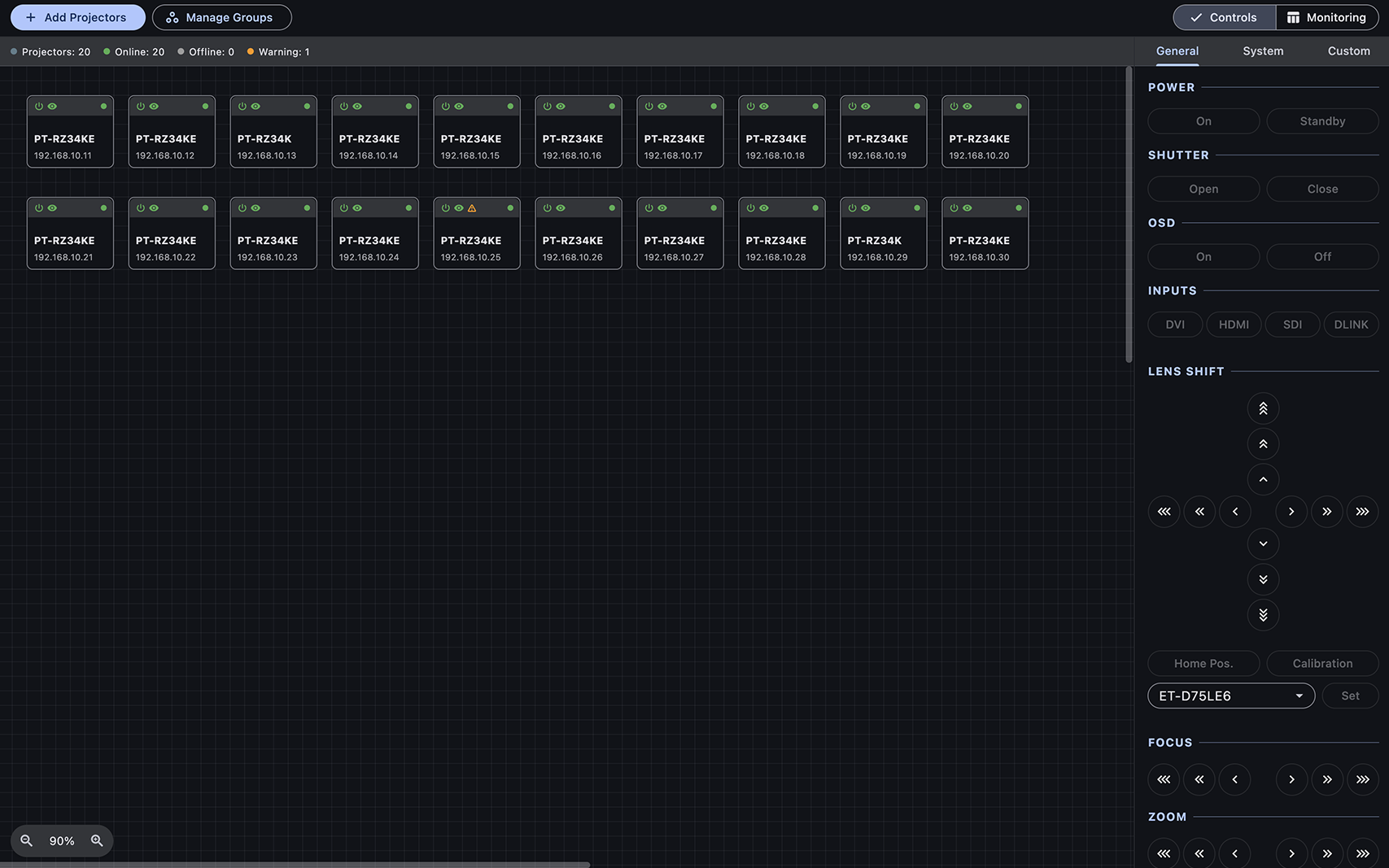
Engineered for large-scale
projection mappings and live events
Everything you need for precise, effortless control over even the largest projector arrays.
Multi-projector Control
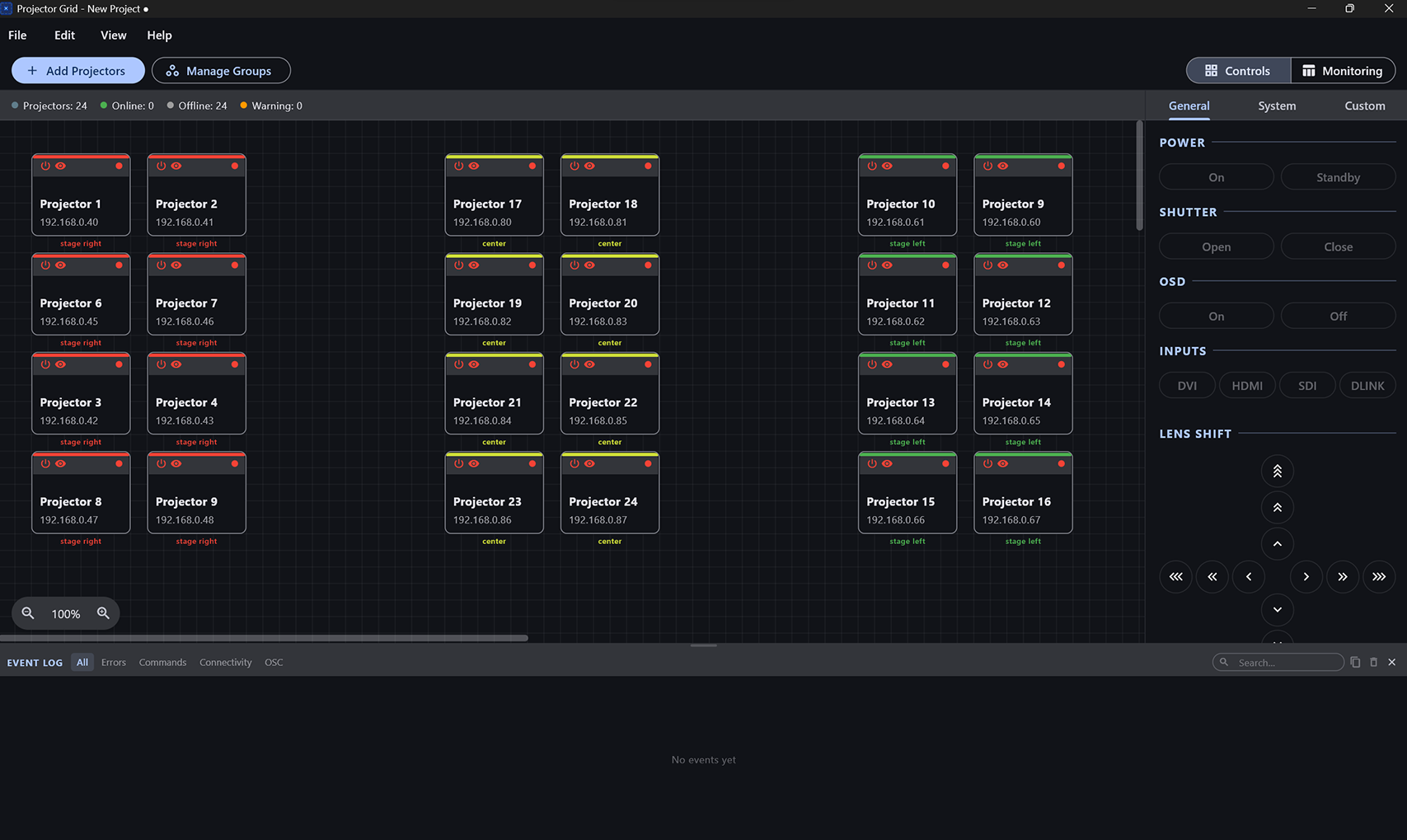
Projector Grid triggers power, shutter, input and lens commands for every Panasonic projector on the network — across individual units, named groups or the entire array, from a single click or over OSC. It also sends any custom command your hardware supports.
Real-time Monitoring
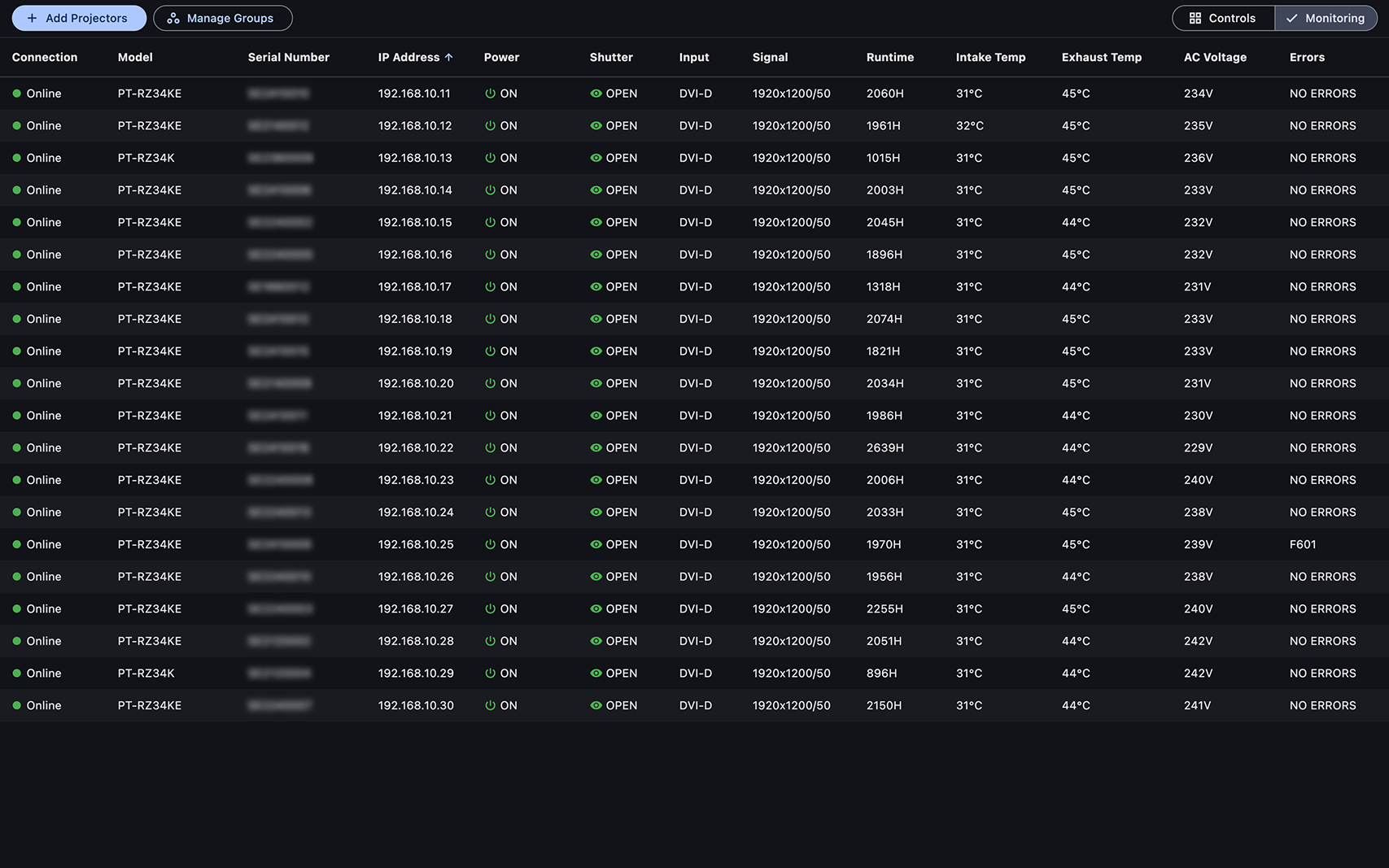
Projector Grid shows live power state, active input, internal temperature, runtime hours, voltage and error flags for every connected projector on one screen, refreshed on a polling interval. Colour-coded status makes a projector that needs attention easy to spot.
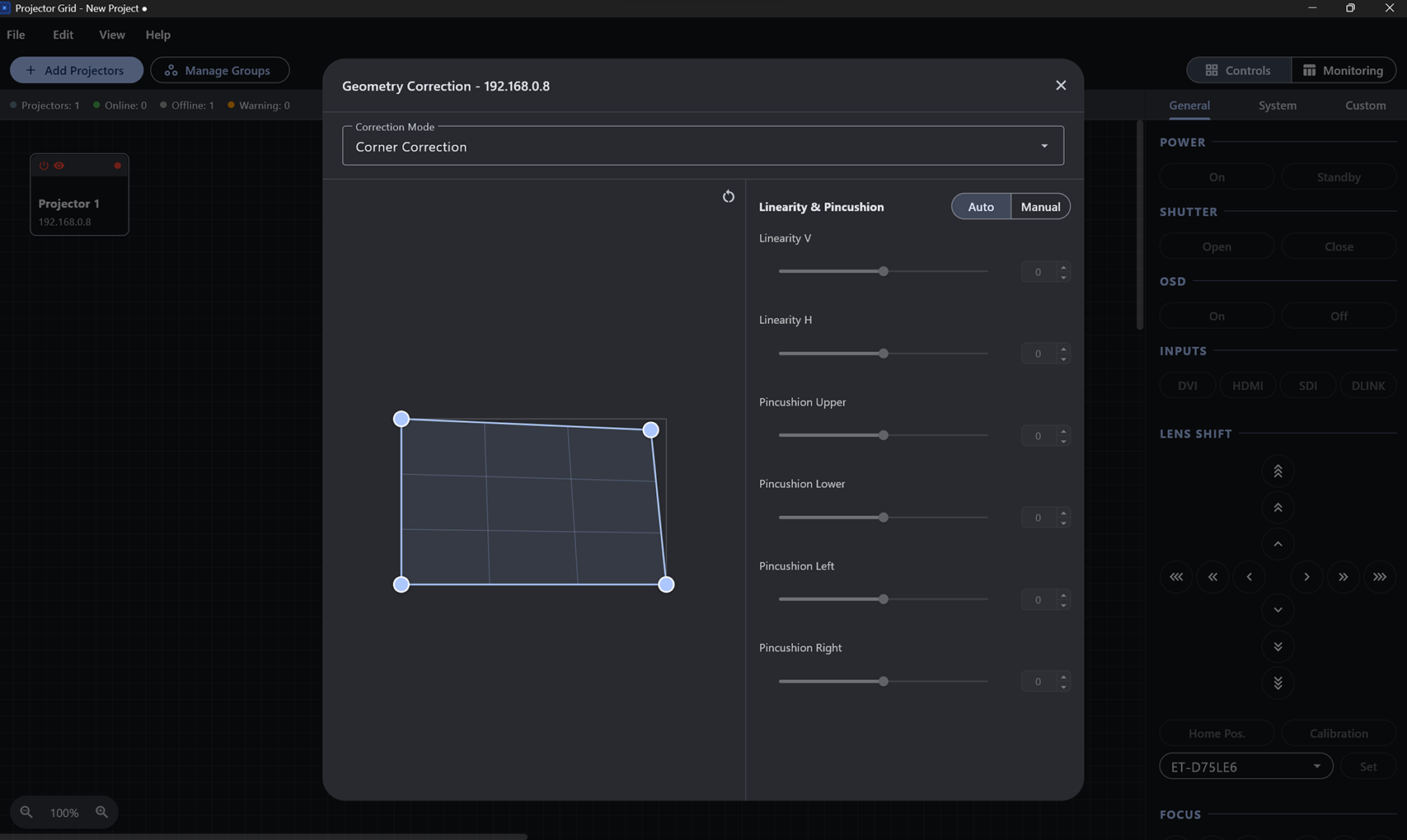
Geometry Correction
Projector Grid applies keystone, four-corner and curved-surface geometry correction to each projector over the network. Adjustments are made from one place and stored on the projector itself.
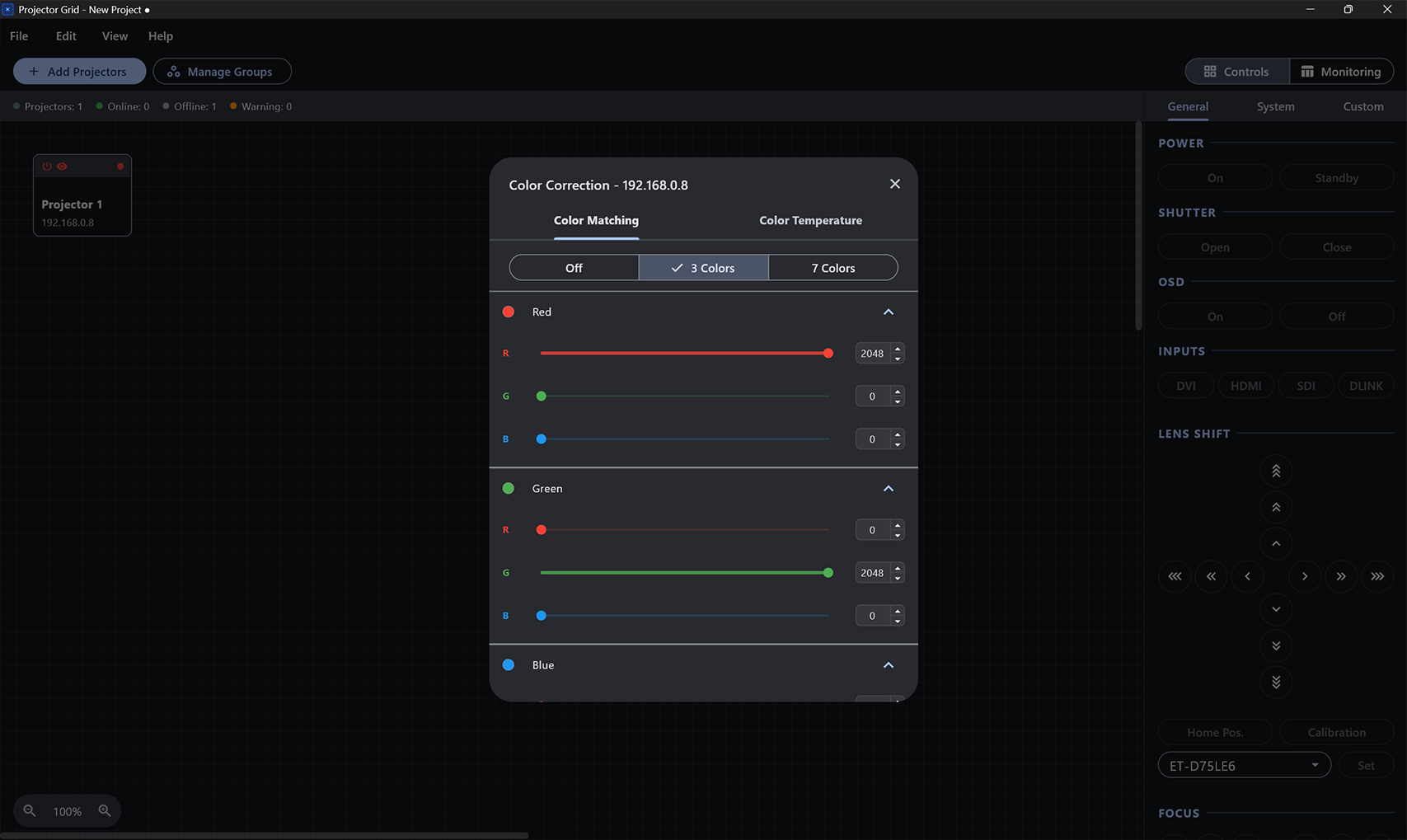
Brightness & Color Correction
Projector Grid matches brightness, colour and white balance across a multi-projector array from a single dialog. Changes are sent to each projector and take effect live.
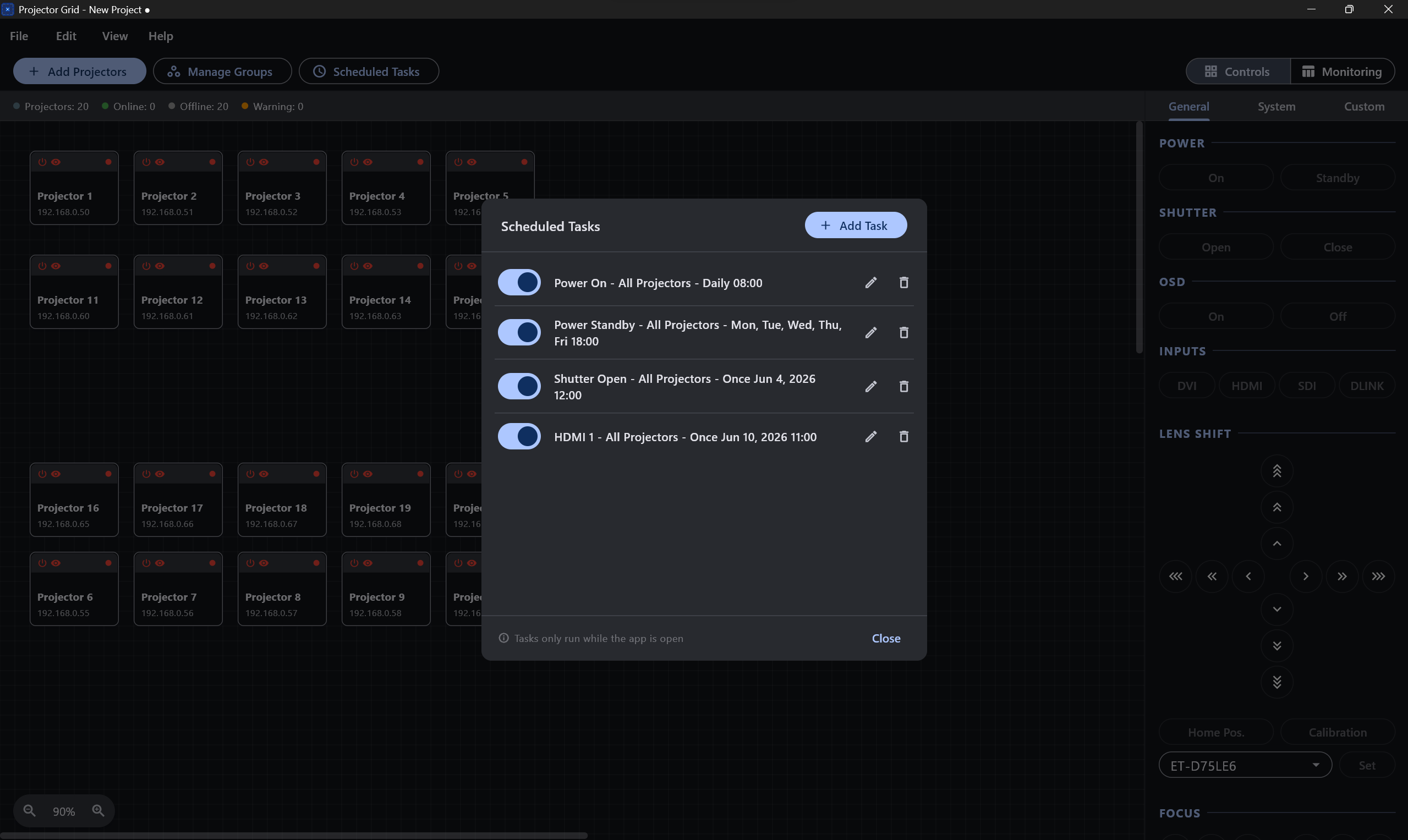
Scheduled Tasks
Projector Grid runs scheduled commands — once, daily or on set weekdays — and speaks OSC in and out over UDP, so QLab, TouchDesigner and other show-control systems can trigger any command.
OSC Integration
Connect to QLab, TouchDesigner, and other show-control systems via OSC. Trigger any command from an external cue or data stream.
Setup & control
Auto-discovery scans your local subnet to add projectors for you. Define custom commands with auto-generated OSC addresses to go beyond the built-in set.
Cross-platform
Runs natively on Windows and macOS — no browser, no server, no Java runtime required.
No projector limit
Add as many projectors as your show needs — there is no cap on the number you can monitor and control from one workspace. Built for large-scale projection mapping and permanent installs.
How Projector Grid compares
Projector Grid overlaps two Panasonic tools — Multi Monitoring & Control Software and the Visual Software Suite (which absorbed the former Geometry Manager Pro) — in one cross-platform app. Panasonic’s tools go deep on configuration; Projector Grid is built to be fast and direct for the everyday jobs — powering a rig up or down, checking status, and quick geometry and colour adjustments. It is not a full replacement for the Visual Software Suite’s advanced warping, masking and camera calibration. Panasonic projectors today; other manufacturers are on the roadmap.
| Feature | Projector Grid | Panasonic MMCS | Panasonic VSS |
|---|---|---|---|
| Price / licence | Free · GPL-3.0 · source on GitHub | Free (Panasonic account) | Free (Panasonic account) |
| Platforms | Windows 10+ · macOS 12+ | Windows only | Windows only |
| Focus | Fast everyday control, monitoring & alignment | Fleet monitoring & control, up to 2,048 devices | Geometry, warping, edge blending, calibration |
| Control protocol | Panasonic | Panasonic + any PJLink brand | Panasonic |
| OSC in / out | Yes | No | No |
| Geometry correction | Keystone, four-corner, curved | — | Warp, curved, masking, edge blend |
| Live monitoring | Temp, runtime, voltage, errors, input | Status + error notification | — |
| Scheduling | Once / daily / weekly | Yes (calendar) | — |
| Account required | No | Panasonic ID (PASS) | Panasonic ID (PASS) |
| Open source | Yes | No | No |
Based on each product’s publicly documented features, 2026.
Download for your platform
Windows & macOS
Free and open source. No account required.
Frequently asked questions
Is Projector Grid free?
Yes. Projector Grid is free and open source under the GPL-3.0 licence, with the full source on GitHub. There is no account, licence key or subscription.
Which projectors does it support?
Panasonic projectors on your network. Most control commands are shared across Panasonic models, so a wide range of current models work; model-specific compatibility reports are welcome on GitHub. Support for other manufacturers is planned.
Does it run on macOS?
Yes. There are native builds for Windows 10 and later and macOS 12 (Monterey) and later. The macOS build is a universal binary for both Intel and Apple Silicon Macs.
How is it different from Panasonic's own software?
Projector Grid puts everyday control, live monitoring and common geometry adjustments in one cross-platform window, and it is OSC-first so show-control systems can drive it. Panasonic splits these across Multi Monitoring & Control Software and the Visual Software Suite (which absorbed the former Geometry Manager Pro), both Windows-only. Projector Grid is not a full replacement for the Visual Software Suite's advanced warping, masking and camera-assisted calibration.
Can I control projectors from QLab or TouchDesigner?
Yes. Projector Grid sends and receives OSC over UDP, so QLab, TouchDesigner and other OSC-capable show-control systems can trigger any command.
Does it need a server or an internet connection?
No. Projector Grid runs entirely on your computer and talks directly to the projectors on your local network. There is no server component and no cloud service.
How many projectors can it handle?
There is no built-in limit on the number of projectors you can monitor and control from one workspace. Polling and commands run concurrently across the array, and it is built for large-scale projection mapping and permanent installs.
Is any of my data sent anywhere?
No. Projector Grid has no telemetry and no analytics. It only communicates with the projectors you add on your local network.